How Do I Export my Design to AutoCAD DXF?
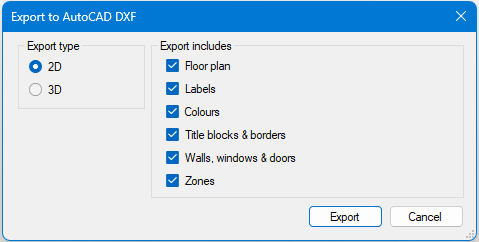
In the Design page, Plandroid supports exporting your finished design in CAD format by using the menu item File -> Export Design -> Export Design as AutoCAD DXF. The export dialog gives you options to export the current plan level in 2D or 3D, and what to include in your export:
The Drawing Exchange Format (DXF) is a universal CAD data file format developed by Autodesk to enable interoperability between AutoCAD and other software. It acts as an open standard for 2D/3D vector data, making it highly compatible across different CAD programs, CNC software, and vector applications like Adobe Illustrator.
While the major parts in a design will be exported in DXF format, not all parts that you can put on the canvas have a CAD representation, and the export is not intended to be complete. Typically the export will include parts that have connections only. Parts, zones, labels etc. are exported in separate layers.
Note that DXF files do not always carry over dimension units, so you may need to check the scale after import.
You Can Export in 2D or 3D
Even though Plandroid is a 2D design program, you can still export a design in DXF format in either 2D or 3D. In 2D the output will be similar to your view in Plandroid.
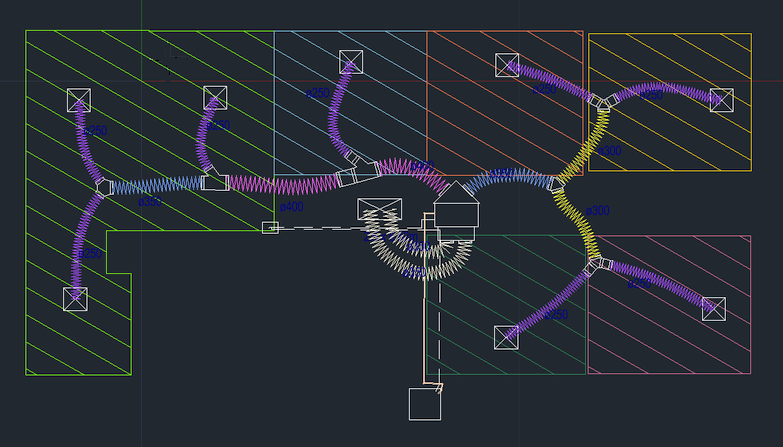
The depth dimension in the 3D layout is estimated from the component types, while the height of the system above the floor is estimated from the zone heights specified. These dimensions are intended to be indicative only and not for precise construction or fabrication purposes. Flexible and rigid ducting generally have accurate 3D dimensions, but other rigid components are also extruded into the depth dimension and are indicative only.
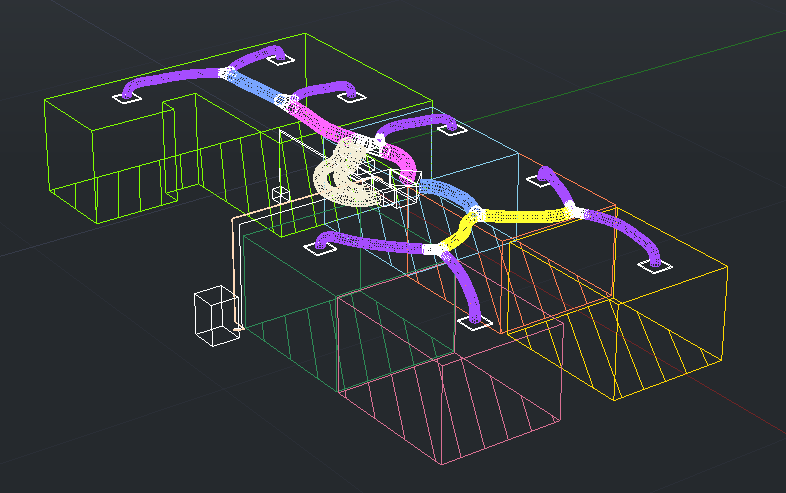
Rise or drop points for drawn parts and penetrations are also accurately shown. The direction of any rise or drop (positive for a rise, negative for a drop) is important in a 3D export. For any part that is connected to a unit, a rise is taken as relative to the height of the unit from the connected end. For parts with risers that are not connected to a unit, an arbitrary end is taken as equal in height to the unit.
Parts that are hidden when printing are also not exported to DXF.
It is normal for title blocks not to be displayed in the model view, even if you have exported them. For example, if you are using AutoDesk DWG TrueView, you will need to go into Print Layout view to see them.
DXF export is currently only implemented designs with flexible and rigid ducting. It is not fully implemented for the hydronics or lighting design modes.